Today’s topic: e stamp login and its legal implications.
Stamping is the act of paying a compulsory legal tax to the government called stamp duty on documents and transactions. It is the act that gives legal validity to a document.
In fact, several contracts – such as property deeds or leasing agreements – are not allowed as evidence in courts if they are not stamped under the Indian Stamp Act.
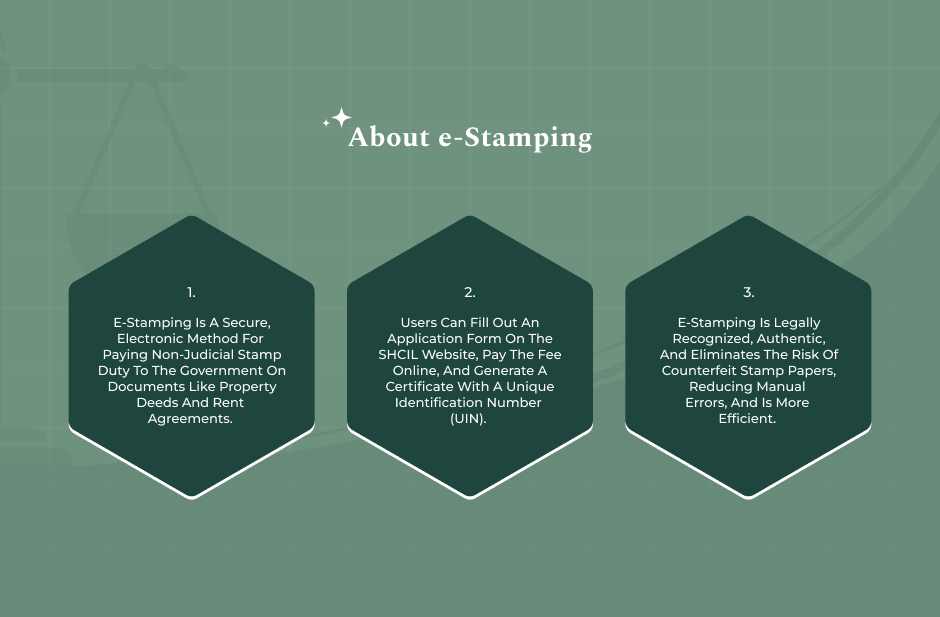
e-Stamping is a digital solution for e-payment of stamp duty at the time of signing an agreement or executing a document. It is a secure and foolproof way of making the payment of these taxes online.
Access to user-friendly portals like SHCIL or state-specific ones is critical for users to not only manage their personal workspaces but also to calculate the duty payable and obtain the generation of genuine certificates.
These electronic stamps come with a Unique Identification Number (UIN) and QR codes for the highest level of security and easy verification.
According to leading legal experts, shifting from physical paper to digital e-stamping results in faster administrative processing while maintaining the same legal validity as the original stamps.
In this article, we will explain the following things:
- What is e-stamping?
- Importance and legal validity for e-stamping.
- How to register for the e-stamping?
- How to access the e stamp login portal?
- What can you do after e stamp login?
Therefore, to know about these things, keep reading!
What Is e-Stamping?
Before we start explaining e-stamp login, let us explain in detail what e-stamping is.
e-Stamping, simply put, is a computer-based tool that enables users to pay non-judicial stamp duty electronically to the government.
Earlier, buying stamp duty meant that you had to get physical and pre-printed stamp papers from authorized license holders.
However, this often offered a high level of difficulty, as artificially created shortage of the paper was one of the means to raise price, and another one was in the case of counterfeit paper.
e-Stamping does away with such papers by issuing a secure electronic certificate instead. (Source: Bajaj Finance).
Upon paying the necessary duty online, the system issues a unique certificate that has elements such as the following:
- UIN (Unique Identification Number).
- Names of the involved parties.
- Type of the document.
- The exact amount of money paid.
The largely SHCIL (Stock Holding Corporation of India Limited)-driven digital changeover works as an advanced, tamper-proof substitute that enhances legal documentation with transparency and speed.
Why You Need To Login For e‑Stamp
Some e stamp login portals do offer guest browsing of basic information. However, a secure login is what opens the door to the main features of the system. Making an account and logging in are very important for these reasons:
- Different Dashboard for Each User: During the e stamp login up, you get a chance to monitor your deal history. You’ll be able to see all the certificates, your pending applications, and your payment receipts in one single place.
- Protected Transactions: A payment for buying an e-stamp will be made via a monetary deal for which you have to log in for the protection of your confidential personal data and payment methods under your user profile that is only associated with you.
- Form Completion and Changes: Very often, people want to save the application form as a draft prior to making the final payment. If you are logged in, you can save your work and also access it again without any loss of data.
- Download and Print: The official certificate will be created by the system after the stamp duty has been paid. You cannot download the printable high-resolution original PDF file version for either printing or digital storage unless you are logged in.
Legal Validity & Security Benefits
E-stamping’s biggest advantage is its strong legal foundation. According to the Indian Stamp Act, an e-stamp carries the same legal force as a physical stamp. Basically, it is a valid form of evidence in a court of law.
On top of legality, the security features of a logged-in system are significant. Each e-stamp created via a secure login is connected to a traceable digital audit trail.
The use of QR codes and UINs enables anyone – for example, a bank or a sub-registrar – to check the document’s genuineness on the spot.
Since the information is on central government servers, it is virtually impossible to make fake or copy the records, thus doing away with the “Telgi-style” stamp paper scams of the past. (Source: Hindu)
Accessing a system through a login means that your document is officially generated in a safe, verified environment that safeguards your legal rights.
How To Register For e Stamp Login?
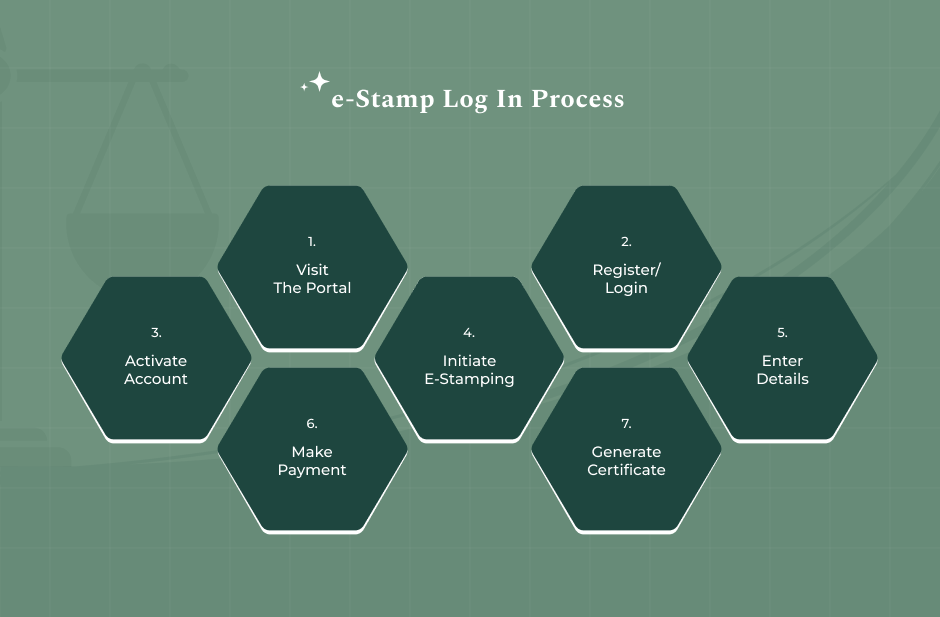
Before you can log in to your e-stamp portal, it is important that you are a registered user. First, you have to make an e-stamping profile through the official portal of Stock Holding Corporation of India Limited (SHCIL) or your state’s dedicated revenue website. (Source: The NoBroker Times)
Here are a few steps that you have to take for the registration process:
- Visit the Portal: Access shcilestamp.com or the e-stamping portal of the respective state government.
- Click Register Now: On the main page, choose the “Register Now” button, especially for new users.
- Fill the Form: Input your basic details like your full name, address, and gender. You will also be required to decide on a unique User ID, a strong password, and a security question and answer.
- Verification: Submit a valid email ID and mobile number. In most cases, you will have to verify your email/phone.
- Activate Your Account: Your email inbox will receive the activation link from the portal. Accessing this link authenticates you and makes your account fully operational for logging in.
Required Documents & Details
Here are some of the most important documents that you need to have to register for your e-stamping:
- Contact Information
- Personal Details
- Identification (Optional/Varies)
- Bank Details
Troubleshooting Registration Issues
Sometimes, technical issues get in the way when you are trying to register. Here’s how to deal with some of the most common errors:
- Invalid Captcha: If the captcha keeps getting rejected, refresh the image or clear your browser’s cache. Also, make sure your browser is up to date.
- OTP Problems: If you are not receiving the OTP on your phone or in your email, check your network connection. Additionally, check your Spam or Junk folder. If nothing turns up, wait a minute for the timer to finish before you hit “Resend OTP.”
- Activation Link Issues: If the activation link in your email has expired or isn’t working, copy the URL and paste it directly into your browser instead of clicking the link.
- User ID Taken: If your chosen user ID is already in use, try mixing things up with a different combo of letters and numbers.
How To Access The Official SHCIL E Stamp Login Portal
The Stock Holding Corporation of India Limited (SHCIL) is the main channel through which the majority of Indian states carry out e-stamping.
To ensure security and effective management, the website delineates different types of users for e stamp login:
- Citizen Login: Individuals or small businesses can mostly fall under this category. Once registered, they can access their account to make the payment of stamp duty either on a rental agreement, affidavit, or sale deed. This control panel is designed for ease of use and mainly revolves around the functions “Pay Duty” and “View History.”
- ACC/Vendor Login: Authorized Collection Centres (ACCs) or vendors (such as banks, post offices, etc.) have a different login portal. These users serve as middlemen, creating e-stamps for the public on a small commission basis.
- Government/Admin Login: Only high-level government officials and sub-registrars have this kind of login. People mainly use it for auditing, confirming the authenticity of certificates, and monitoring revenue collection across different areas.
State‑Specific Login Portals
Although SHCIL serves most of the country, some states have set up their own systems to handle land records and revenue at the local level. Here are a few things to know:
1. e-Stamp Jharnibandhan Login (Jharkhand):
People living in Jharkhand are advised to use the JHARNIBANDHAN portal for e-stamping. Here are the steps to follow:
- First, click on “Citizen Login” at the main page.
- Then input the mobile number or username that you have registered with.
- Finally, enter your password along with the Captcha to log in.
Besides that, this portal is connected to the National Generic Document Registration System (NGDRS) to allow smooth property registration.
2. Other State Portals:
- Maharashtra (GRAS): It is possible for users to pay stamp duty as well as registration fees online (at the same time) through the Government Receipt Accounting System.
- West Bengal: The Directorates of Registration and Stamp Revenue website provides a citizen login for deed execution and reports the “Status of E-payment”.
- Delhi/Karnataka/Gujarat: These three states are completely under the SHCIL login regime. Nonetheless, their separate state revenue websites typically have home pages that redirect users to the SHCIL server.
Step‑by‑Step Login Instructions
To make sure you don’t run into any problems or get locked out of the system, here are some simple steps you can follow during your e stamp login:
Step 1: Username And Password
Firstly, go to the official website and then look for the login area. Generally, it is located on the right-hand side of the homepage.
Carefully enter your User ID (remember it is case sensitive) and Password. Make sure your “Caps Lock” is off unless your password includes uppercase letters only.
Step 2: OTP Verification
With security being a major concern, many websites have started using Two-Factor Authentication (2FA).
After you have typed your password, you will likely get a 6-digit One-Time Password (OTP) on your registered mobile number or e-mail.
Enter this number during the valid time (usually 180 seconds) to move forward. If you don’t receive the OTP, check your network connection or click the “Resend OTP” button.
Step 3: Access Dashboard
After logging in successfully, the portal will redirect you to the Member Home Page. From there, you will be able to do the following:
- Choose the state for which you want to pay duty.
- Start a new e-stamp application.
- Check “Transaction History” for past payments.
- Print or download e-stamp certificates that you have fully paid for.
What You Can Do After E Stamp Login
Now that you know about how to use the e stamp login portal and what its legal implications are, let us explain some of the things that you can do after you have completed your e stamp login:
1. Generate/Download eStamp Certificate:
After you have logged in, you can go to the “Pay Duty” or “Online Payment” section. Selecting the right state and entering the document details (like the first party name and consideration amount) will allow you to finish the payment through:
- Net Banking.
- Debit Card
- UPI.
Once you have made the payment, the system automatically creates an eStamp Certificate. Click on the Download button if you want to save the official PDF on your computer.
2. View & Verify eStamp Details
When you log in, you can use a Verification Module. If you put the Unique Identification Number (UIN), certificate date, and state, then you can check the facts with the central database to make sure that the document is authentic.
Most up-to-date portals also feature a QR code on the certificate. So, if you scan it with the official mobile app (such as the SHCIL eStamping App), you will receive the digital authentication of the origin of the stamp.
3. Print & Save Options:
Your dashboard is like a digital vault. You can directly print the certificate on plain A4 paper using a laser printer.
If you misplace the physical copy, you can always go back to your “Transaction History” to re-download it or save the file as a PDF for future use.